Settings
Configure your BeanRails account to match your business.
Finding the settings
Settings live behind the gear icon in the top bar. Clicking it opens a dropdown with every settings page, grouped into four sections.
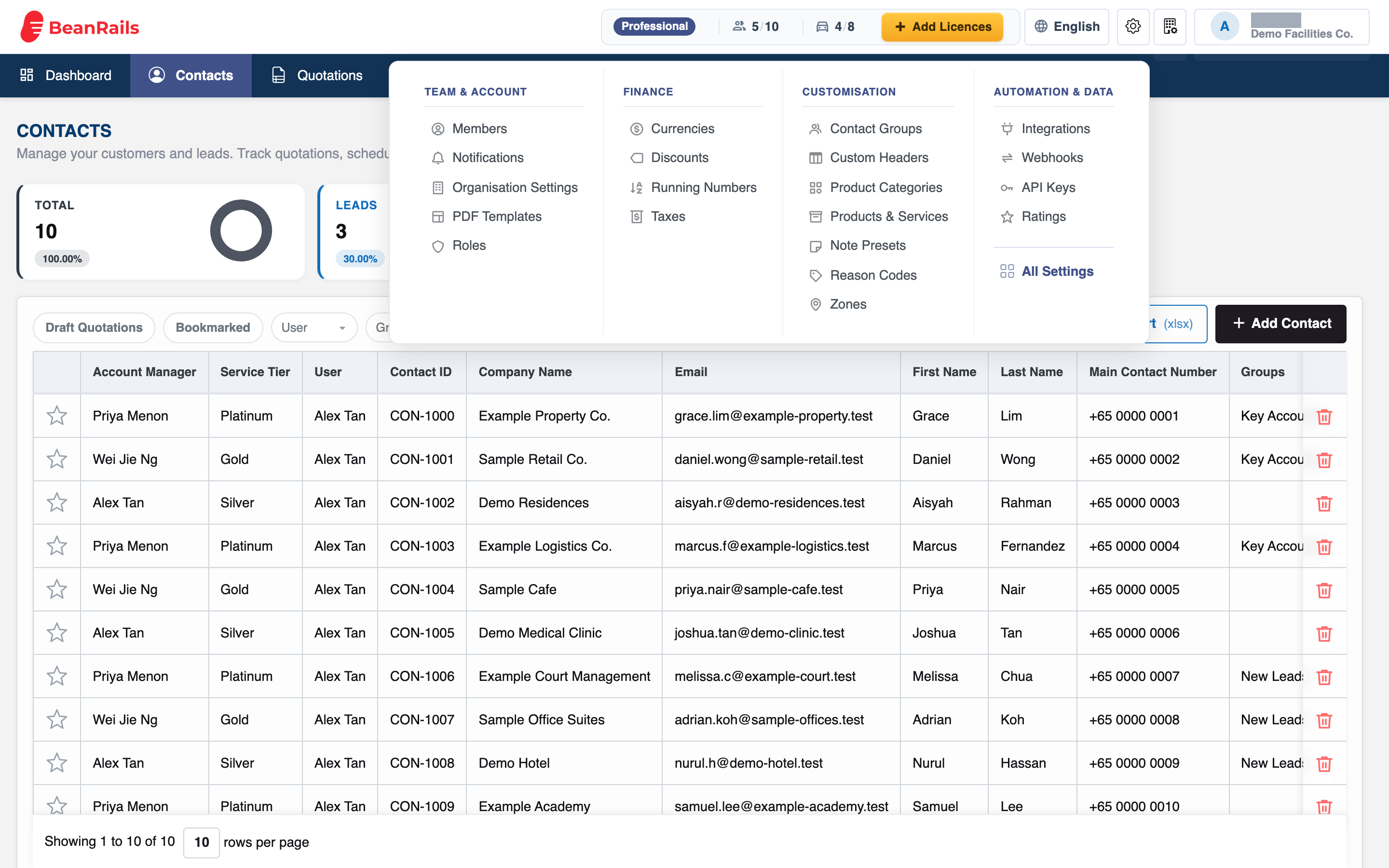
The dropdown is the quickest route to a specific page. For the full list on one screen — with a description of each page and a search box — click All Settings at the bottom of the dropdown.
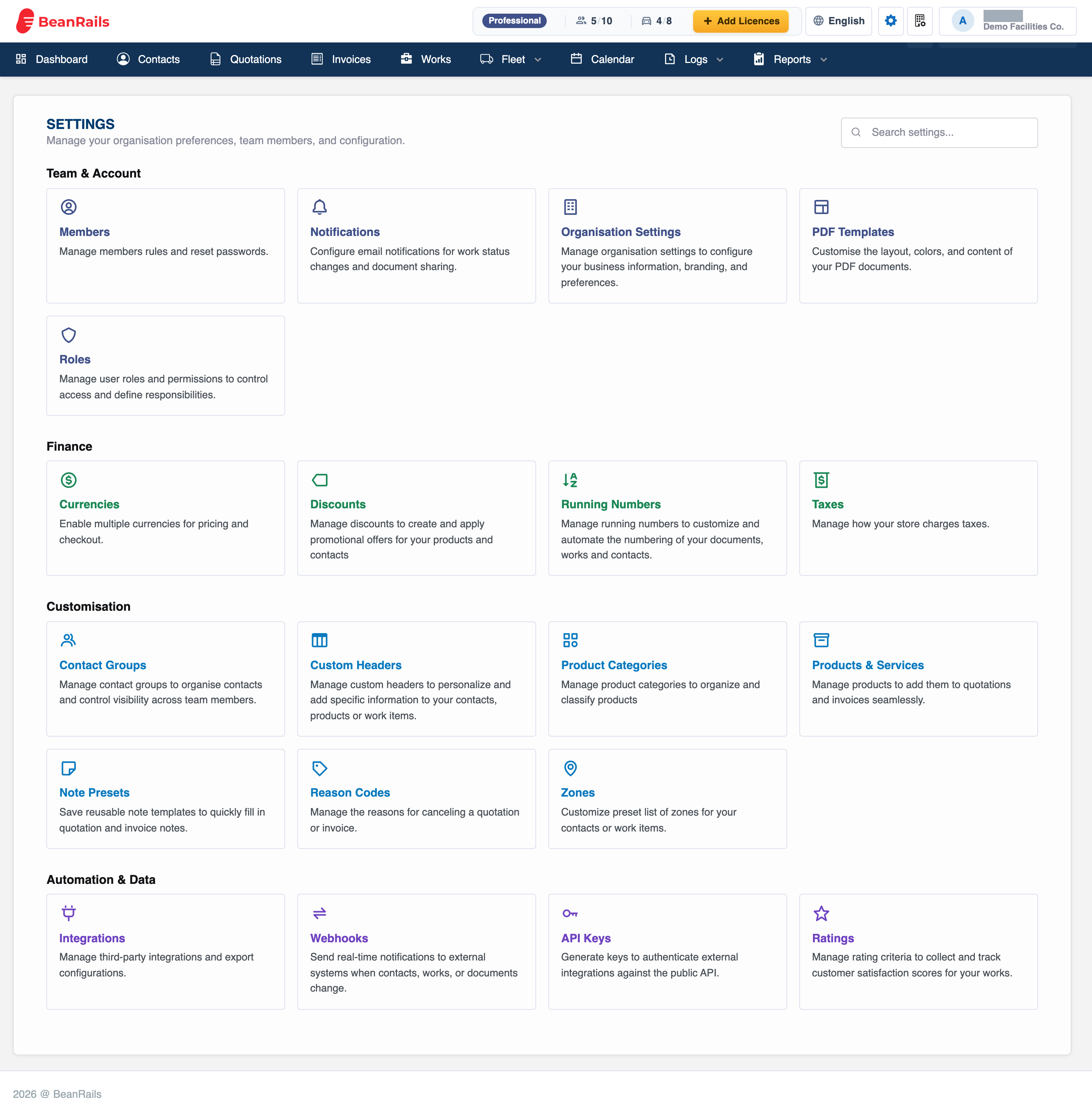
Team & Account
| Page | What it does |
|---|---|
| Members | Manage members and reset passwords |
| Notifications | Configure email notifications for work status changes and document sharing |
| Organisation Settings | Business information, branding, and preferences |
| PDF Templates | Customise the layout, colours, and content of your PDF documents |
| Roles | Control access with roles and permissions |
Finance
| Page | What it does |
|---|---|
| Currencies | Enable multiple currencies for pricing |
| Discounts | Create and apply promotional offers |
| Running Numbers | Automatic numbering for documents, works, and contacts |
| Taxes | Manage how your business charges taxes |
Customisation
| Page | What it does |
|---|---|
| Contact Groups | Organise contacts and control visibility across team members |
| Custom Headers | Add custom fields to contacts, products, or work items |
| Product Categories | Organise and classify products |
| Products & Services | Manage the products you add to quotations and invoices |
| Note Presets | Reusable note templates for quotation and invoice notes |
| Reason Codes | Reasons for cancelling a quotation or invoice |
| Zones | Preset list of zones for contacts and work items |
Automation & Data
| Page | What it does |
|---|---|
| Integrations | Third-party integrations and export configurations |
| Webhooks | Send events to other systems when records change |
| API Keys | Generate keys to authenticate external integrations against the public API |
| Ratings | Rating criteria for customer satisfaction scores |
note
Webhooks and API Keys are available to every member, not only to those who can manage settings, so each person sets up their own. In the gear dropdown, members without settings access see only these two pages.